
Fill & Sign PDF
Fill in PDF forms and add your signature. Fill in interactive form fields, type on any PDF, add ticks, dates and a drawn, typed or uploaded signature.
- 100% private
- No upload
- Free, no sign-up
- Fast
How to Fill & Sign PDF online
3 simple steps. No software to install.
-
1
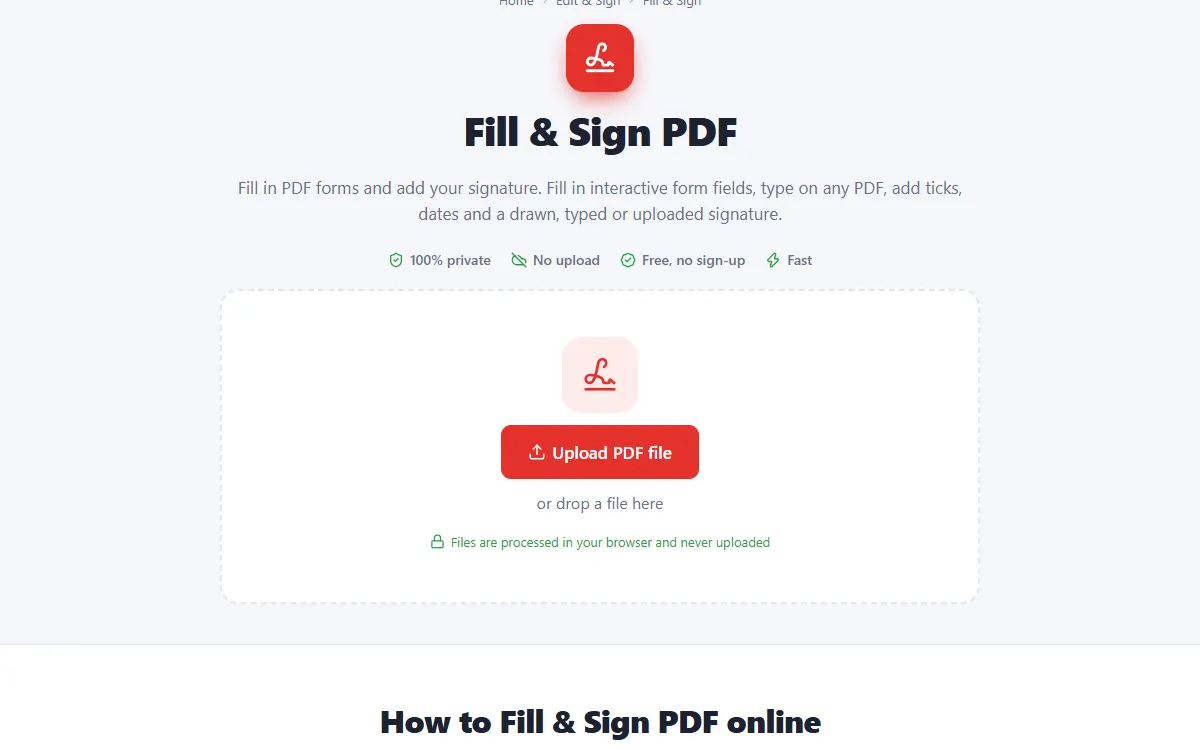
Upload your PDF form
Click the upload button or drag and drop your PDF form onto the page. Nothing is sent to a server: the file opens right in your browser.
-
2
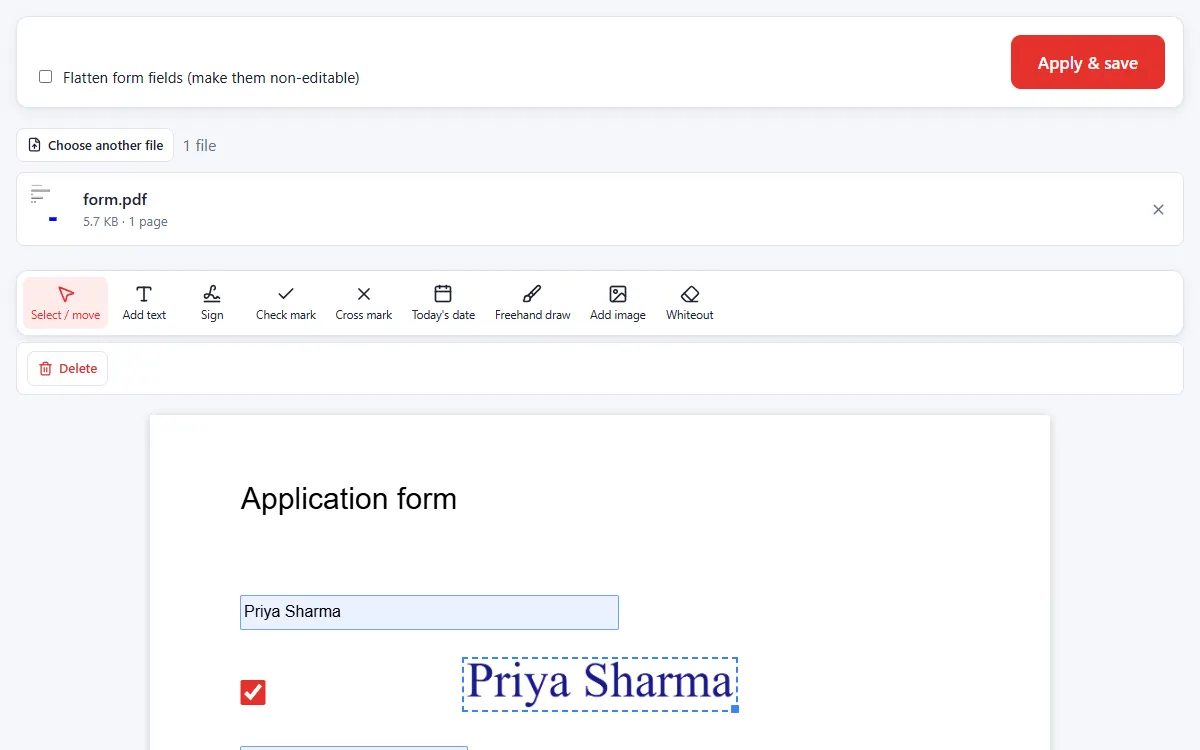
Fill in and sign
Type into form fields, tick boxes, add text anywhere and place your signature: draw it, type it or upload a picture of it.
-
3
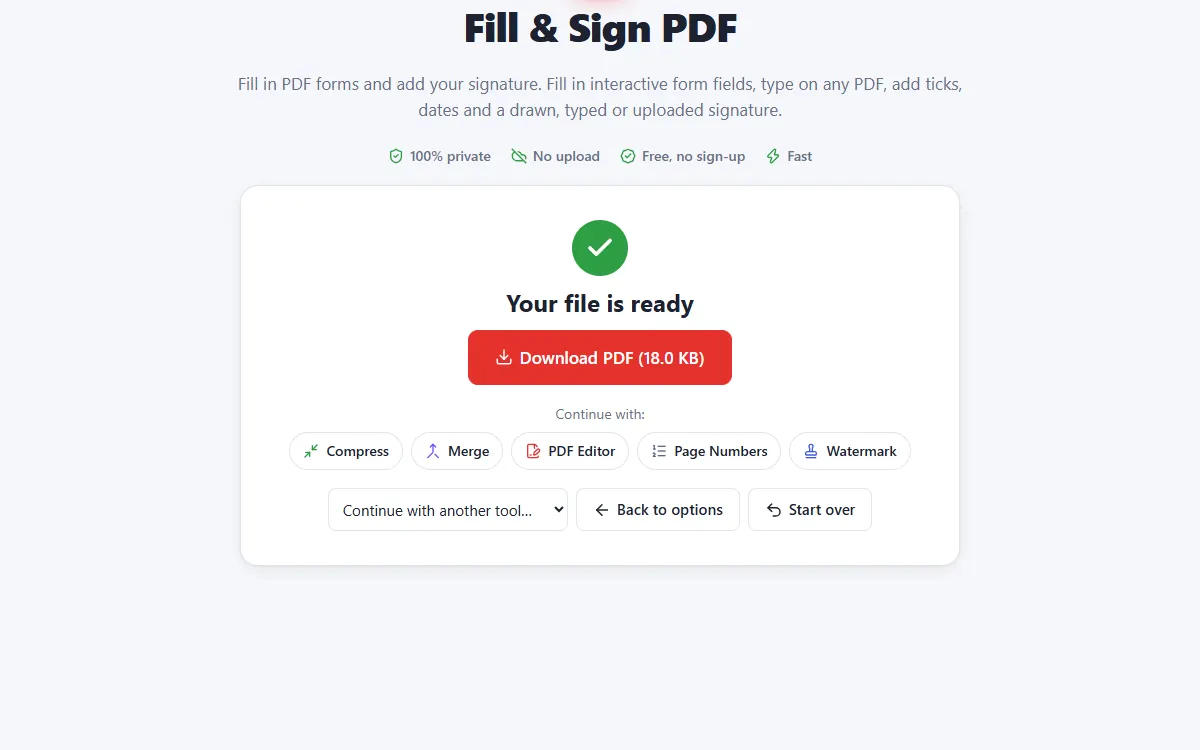
Download the signed PDF
Optionally flatten the form so nobody can change it, then download.
Why use our Fill & Sign tool
Three ways to sign
Draw, type in a handwriting font or upload an image of your signature.
Real form fields
Interactive fields are detected automatically and filled in properly.
Private and secure
Files are processed on your own device. They are never uploaded, stored or seen by anyone.
Free, no sign-up
No account, no email and no watermark on your documents.
Fast
No waiting for uploads and downloads: results are ready in seconds.
Works everywhere
Windows, Mac, Linux, Android and iPhone, in any modern browser.
Fill & Sign: frequently asked questions
Is my signature stored?
Your signature is only remembered in your own browser for next time and never uploaded.
Can I fill a PDF that has no form fields?
Yes. Use "Add text", check marks and dates to write anywhere on the page.
Is Fill & Sign free to use?
Yes. PDFNest is free, needs no account and never adds a watermark.
Are my files safe?
Yes. Your files are processed inside your browser and are never uploaded to a server, so nobody else can access them.
Does it work on my phone?
Yes. It works in any modern browser on Android and iPhone as well as on computers. Large files are faster on a computer.